
Many home-office problems are not dramatic. They are repetitive.
A cable is always in the way. The desk feels crowded. The room gets warm. The lamp creates glare. The chair becomes uncomfortable after a few hours. A charger or adapter disappears exactly when it is needed.
Small annoyances can make a workday feel harder than it needs to. And when the workspace is part of a bedroom, dining area, living room, or shared room, the solution is not always a complete makeover.
A better home office is not about having the fanciest setup. It is about removing the small frustrations that repeat every workday.
A few thoughtful changes can make a workspace easier to use, more comfortable, and more supportive of the way someone actually works. Here are ten places to begin.
Create a desk surface that actually feels usable
A desk can be large enough on paper and still feel too crowded to work on. The issue is often not the total surface area, but how much of it is available for the task in front of you.
A large desk pad can help visually define the main work zone. It gives the keyboard and mouse a consistent surface, protects the desk from everyday wear, and makes the arrangement feel more intentional without asking you to buy a new desk.
A desk pad is not necessary for everyone. Its value is practical: it can make the surface easier to read, easier to reset, and less likely to become a collection of scattered small items.
Leave enough open space for writing, papers, or whatever changes throughout the day. Keep only frequently used objects within immediate reach, and place monitors or laptops so they do not consume the entire usable surface.
- use a large desk pad if a defined work zone would help
- keep the center of the desk available for the current task
- move occasional-use items to a drawer or nearby shelf
- raise or reposition screens only when it creates more usable space
Fix lighting before adding more equipment
Lighting affects how a workspace feels long before you add another piece of equipment. Natural light can make a room feel open, but direct sun may create glare on a monitor or make a screen difficult to read.
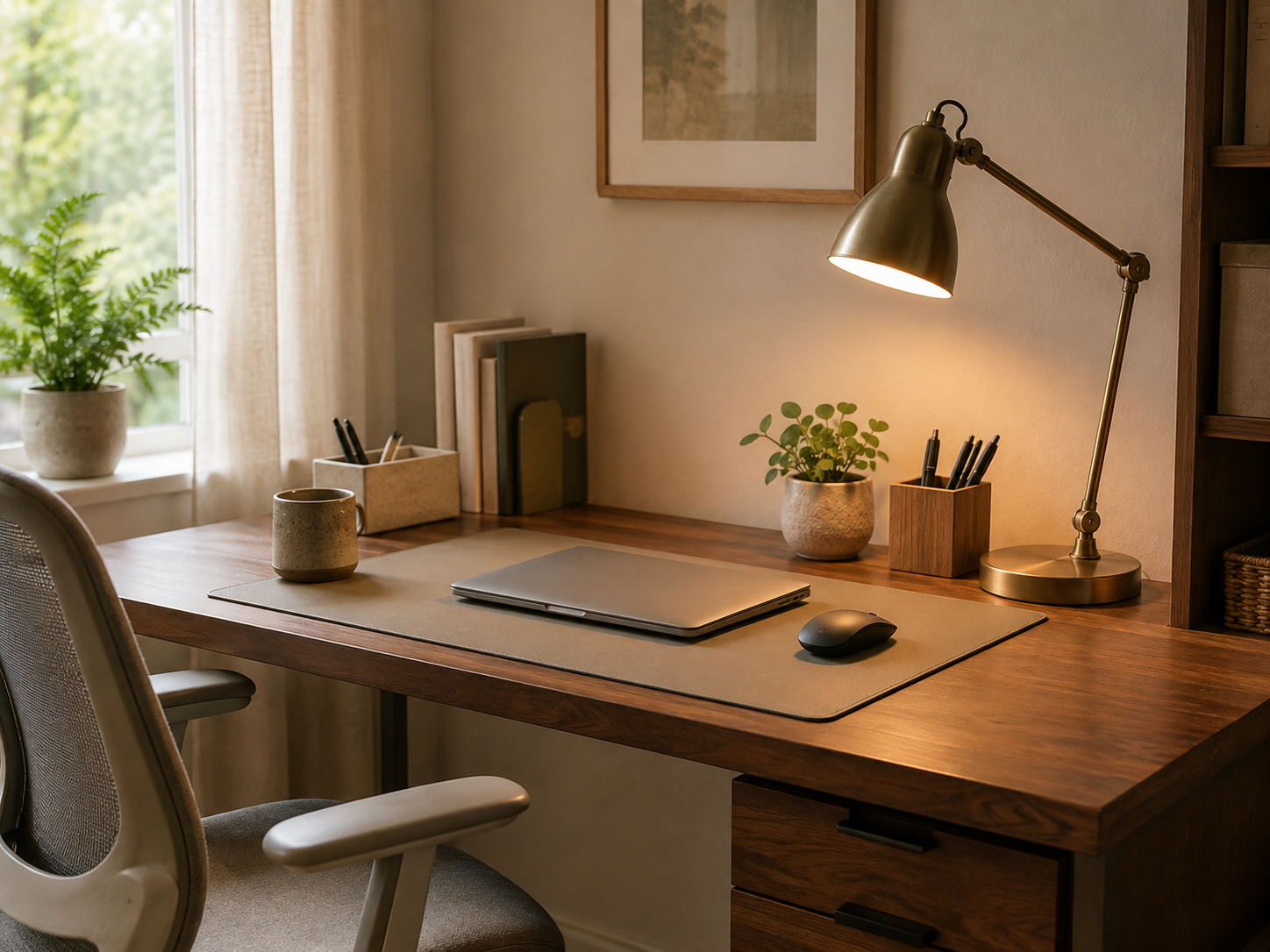
Overhead-only lighting can leave a desk feeling flat or shadowy. A desk or task lamp gives you more control, especially for evening work, writing, or the corners of a room that do not receive much daylight.
Good task lighting should make the workspace easier to see without shining directly into your eyes or reflecting heavily on the screen. A lamp with an adjustable arm or head can be useful because the best position changes with the time of day and the task.
Look for brightness levels, a compact footprint, and a placement beside or slightly behind the monitor. Warm or cooler light is largely a matter of preference; choose what feels comfortable and helps you see the work in front of you.
- notice where natural light falls before positioning the screen
- place a task lamp beside or behind the monitor when possible
- choose an adjustable head or arm for more flexible placement
- reduce reflections before increasing brightness
- use a lower, warmer setting in the evening if that suits the room
Add small comfort upgrades for long work sessions
Sometimes the workspace feels difficult simply because the room is warm, the air is still, or the things you use most are slightly out of reach.
A small clip-on fan can be useful in a warm room, a shared space, or a compact office where a larger fan would take up too much floor or desk space. Attach it to a suitable stable edge, shelf, stand, or monitor-area support where appropriate, rather than placing pressure on a delicate screen.
Look for stable mounting, quiet operation, and adjustable direction. Keep it positioned so it does not obstruct the monitor, shake the desk, or interfere with cables.
Other small comfort choices can matter just as much: keeping water nearby, using a footrest where it is useful, and leaving enough room to change position during the day.
- choose a stable mounting point for a compact fan
- keep airflow directed toward the room or workspace, not into a cable cluster
- leave water within easy reach
- consider a footrest if your desk and chair leave your feet unsupported
- make small temperature adjustments before adding more equipment
Keep everyday supplies from spreading across the desk
Pens, notebooks, documents, adapters, sticky notes, and small tools tend to spread when they do not have an easy place to return to.
The answer is not a separate container for every object. One pen cup, shallow tray, drawer organizer, vertical file holder, document stand, or nearby basket may be enough to give the most-used things some structure.
Group supplies by task or frequency of use. Keep the items you reach for constantly close by, and move everything else to a drawer or shelf where it remains visible without occupying your main work zone.
A good organizer should make returning something easier than leaving it on the desk. If the system adds steps, it is probably too elaborate for everyday use.
- use a shallow tray for items currently in rotation
- keep documents upright when stacks begin to spread
- group supplies by the task they support
- leave some empty capacity so the organizer can absorb a busy day
Get cables under control
Cable clutter is one of the fastest ways for a home office to feel unfinished. Laptop power cords, monitor cables, phone chargers, keyboard and mouse cables, USB hubs, headphones, and power strips all compete for attention in a small area.
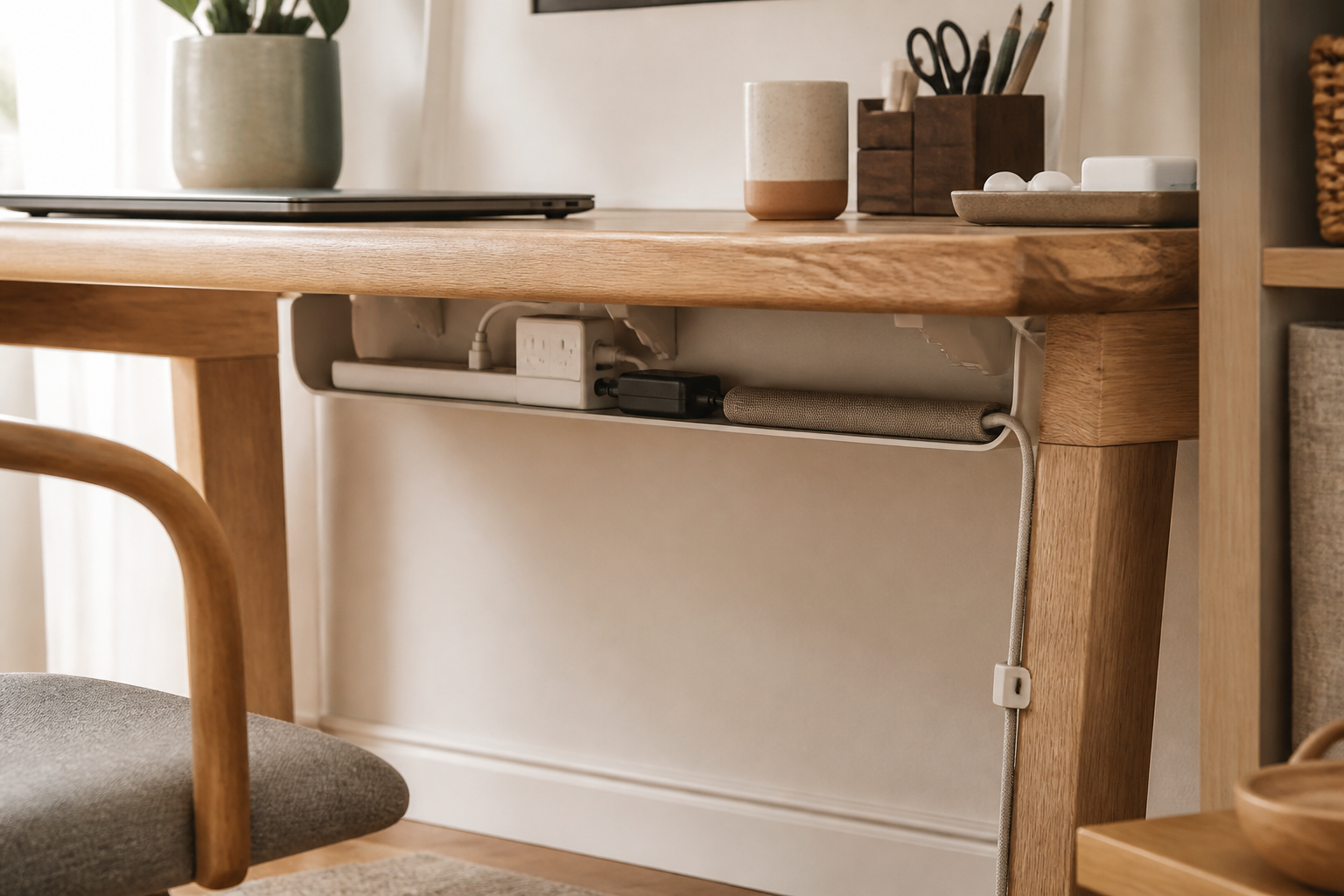
The goal is not to hide every cable permanently. It is to keep cables accessible while giving them a predictable route. Cable holders and clips can keep frequently used cords near the edge of the desk. A sleeve can gather several lines that travel in the same direction. An under-desk tray can move excess length and a power strip off the main work surface where appropriate.
Route cables behind furniture when possible, but keep power connections easy to reach and do not make changes to electrical wiring. Avoid overloading power strips or outlets, and leave enough slack for devices to move safely.
If similar charging cables are hard to tell apart, a small label or a consistent place for each one can save more time than another cable accessory.
- use clips to keep the cables you reach for most often in place
- gather shared routes with a sleeve rather than forcing every cable into one bundle
- use an under-desk tray for excess length and a suitable power strip
- separate laptop, monitor, and charging cables so each is easier to trace
- keep electrical connections accessible and avoid overloaded outlets
Choose input devices that feel more comfortable to use
A mouse can feel awkward simply because its shape, size, or button placement does not suit the way you use it. An ergonomic mouse may be worth considering if a standard mouse feels cramped or unnatural, but there is no single shape that works for everyone.
Pay attention to how the mouse fits your hand, how much desk space it requires, and whether the buttons are easy to reach without constant repositioning. Wireless and wired options each have tradeoffs; choose the arrangement that keeps the workspace simple for you.
Keyboard placement matters too. If a laptop is raised on a stand, an external keyboard and mouse can make the setup feel more natural to use. Keep frequently used devices positioned comfortably rather than pushed to the very edge of the desk.
The useful test is not a promise about what a device will prevent or treat. It is whether the setup feels easier to use throughout the ordinary tasks you do every day.
- consider mouse shape and size before extra features
- check whether button placement feels easy to reach
- leave enough room for the mouse to move without hitting objects
- pair a raised laptop with an external keyboard and mouse when useful
Make the chair work for your body and your day
A chair does not need to look like office equipment to be a good fit. It needs to suit the desk, the room, and the length of a typical workday.
Look at seat comfort, back support, adjustability, seat height, armrest position, and overall stability. The chair should fit under the desk when you want the room to feel clear, and it should leave enough space for you to sit without feeling boxed in.
The most expensive chair is not automatically the right one. A chair that fits your preferences and your available space may be more useful than a feature-heavy option that is too large, too firm, or difficult to adjust.
If possible, pay attention to how the chair works with your desk height and screen position together. A comfortable chair is part of a setup, not a standalone solution.
- check seat height against the desk
- look for the type of adjustability you will actually use
- make sure armrests do not prevent the chair from fitting under the desk
- consider the chair’s scale in a shared or multipurpose room
Use a desk that gives you storage as well as workspace
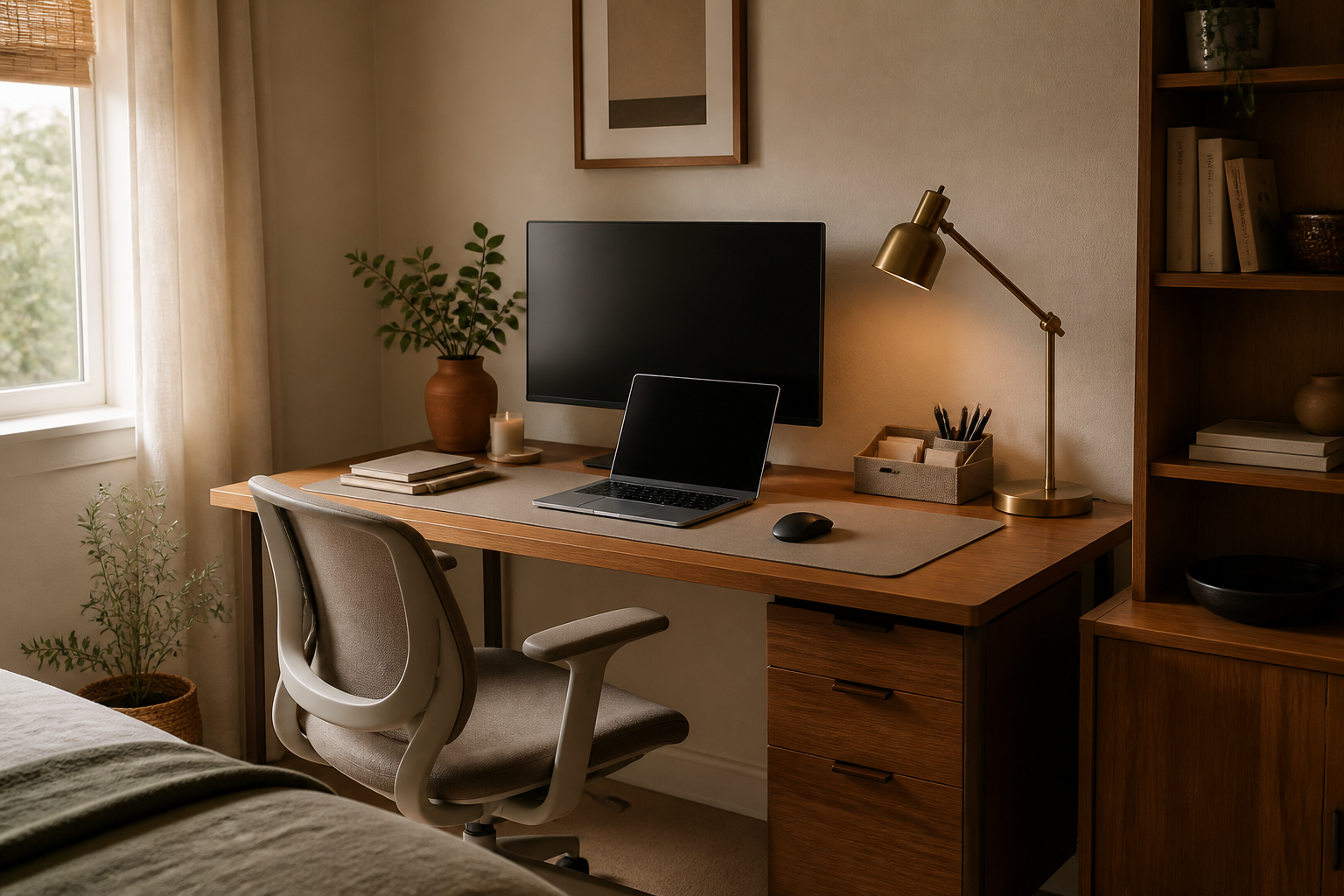
When floor space is limited, a desk with upper shelving, a hutch, side shelving, or integrated drawers can do two jobs at once.
Vertical storage is often useful because it adds capacity above the work surface rather than asking a small room to give up more floor area. It can hold documents, books, supplies, and small equipment within reach without spreading them across the desk.
The tradeoff is visual weight. More shelves are only helpful if they remain easy to access and do not make the workspace feel overwhelming. Keep the things you use most often at the easiest height, and use higher shelves for less frequent items.
A compact desk with storage above can be especially helpful in a bedroom, dining area, or shared room where every piece of furniture needs to earn its space.
- look for drawers when small items need to disappear from view
- use upper shelving for supplies that are useful but not constant
- keep the most-used items within easy reach
- avoid filling every shelf if open space helps the room feel calmer
Give chargers, adapters, and small tech one home
Small technology pieces are easy to lose because they are useful in several places but do not naturally belong in any one of them.
Chargers, adapters, dongles, earbuds, USB drives, portable batteries, memory cards, hubs, and spare cables can usually be managed with one small tech drawer, a labeled pouch, a divided tray, or a dedicated charging area.
The important part is predictability. Choose one place to look first, and make it easy to return an item there when you are finished. If a piece belongs to a particular device, keeping them together may be more useful than sorting everything by type.
A small amount of separation can prevent a surprising amount of searching. You do not need a large system; you need one that is obvious enough to maintain.
- use a dedicated pouch for portable or travel-related tech
- keep device-specific adapters with the device they serve
- use a divided tray for small pieces that are easy to confuse
- label only where a label genuinely makes the right place clearer
Make it work even if your “office” is only a corner
A home office may be a bedroom corner, a section of the living room, part of a dining area, a shared room, or a narrow space in a small apartment. It does not need to look like a corporate office to support a real workday.
Narrow desks, desks with vertical shelving, rolling storage, wall-mounted shelves, and portable organizers can help define a workspace within the room you already have. A desk pad or lamp can also create a visual boundary between work and everything else.
When the room serves several purposes, containment becomes part of the system. Keep work supplies together, use a basket or drawer for items that need to be put away, and make it possible to clear the area when the workday ends if that helps the room feel like home again.
The goal is not to recreate a perfect office. It is to create an intentional place to work within the space available.
- use vertical storage when floor space is scarce
- choose narrow or rolling pieces when the room has to change roles
- keep work supplies contained in one portable or defined zone
- use a desk pad or lamp to visually mark the work area
- create a simple end-of-day reset if you need the room to change back
Build around the way you actually work
A good home office is not defined by expensive furniture, a giant desk, or a perfectly styled background.
It should support the way someone actually works. Before changing anything, ask:
- What annoys me repeatedly during the workday?
- What am I constantly moving out of the way?
- What do I repeatedly lose?
- Is my desk surface actually usable?
- Is the lighting comfortable for the tasks I do?
- Are cables making the setup harder to manage?
- Is there enough accessible storage?
- Which changes would make the biggest difference to my daily routine?
The most useful home-office upgrade is often not the most impressive one.
It is the one that quietly removes a small frustration you were dealing with every single day.